LecAssist: Turning One Lecture Recording into the Week’s Busywork
My final-year project records a lecture, transcribes mixed Urdu and English, and lets an agent create the Moodle work — only after the teacher says yes.

A teacher’s work does not end with the lecture. Assignments announced in class have to be typed into the eLearning portal, material has to be uploaded under the right week, and notes have to reach students. LecAssist turns one lecture recording into that work.
It is my final-year project for the BS Computer Science at Sukkur IBA University, built with Shoaib Ahmed and Asghar Ali and supervised by Dr. Saif Hassan. My part is the AI models and agents: the eLearning portal agent, the model layer, summaries and messaging.
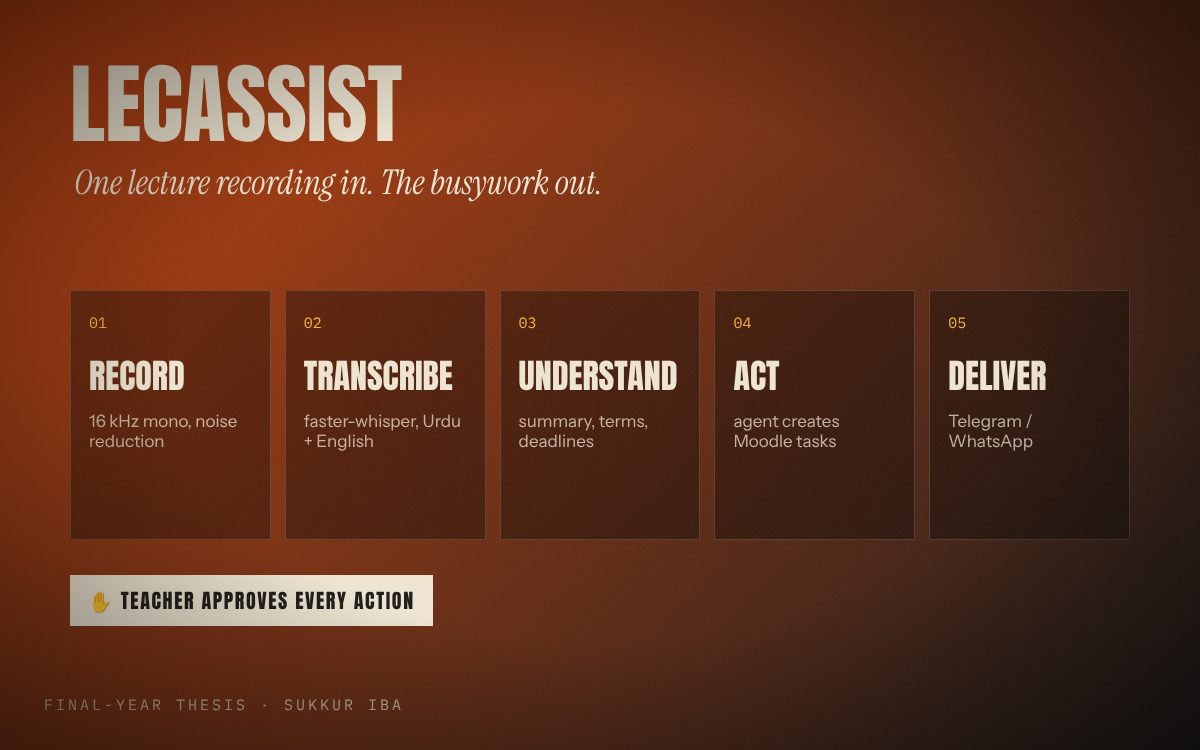
The pipeline
- Record and clean the classroom audio.
- Transcribe mixed Urdu and English speech locally, and separate the teacher’s voice from the students’.
- Understand the transcript: summary, key terms, assignments and deadlines.
- Act on it with an AI agent: create assignments, upload material and create courses on Moodle — always after the teacher approves.
- Deliver results and take new instructions on Telegram or WhatsApp.
Everything can run offline on the teacher’s own machine through local models in Ollama, so classroom audio does not have to leave the university network.
The project is still in progress. The agent loop, the Moodle tools and browser automation are done, the audio pipeline is a working prototype, Telegram delivery is being built, and the desktop app is planned.
An agent written from scratch
The tool calling and agent loop are written from scratch, without LangChain or LangGraph. A local model on Ollama chooses a tool and its arguments; the tool looks up the course and week, asks the teacher to approve, and then performs the action.
Teacher request
  → agent loop (local model with tool calling)
  → moodle_tools: add_assignment / add_material / add_course
      1. find_course + find_week   (Moodle REST API)
      2. approve(...)              (teacher types yes/no)
      3. Playwright fills the Moodle form
  → result back to the model → reply to the teacher
Why two ways of talking to Moodle
The Moodle REST API can read courses and weeks, but Moodle has no web service function to create an assignment or upload a file to a week. So creation is done by browser automation with Playwright, using the teacher’s own login. All portal automation is developed and tested only on a local copy of Moodle — the same version as the university portal — never on the live system.
The audio side
The speech pipeline converts audio to 16 kHz mono, optionally reduces noise, transcribes with faster-whisper (Urdu by default, with a code-switching prompt), separates speakers with pyannote, merges everything into a speaker-labelled transcript, and can score word error rate against a hand-written reference.
Adapted from the project write-up. See the code and full details on GitHub ↗